In the corner of your closet or sitting on a shelf, it lives: your 10-year-old laptop. Maybe it was a college companion, a workhorse from a past job, or just a machine that time forgot. You power it on, and the nostalgia hits you… right before the frustration. It takes five minutes to boot. Opening a single website grinds everything to a halt.
You’ve heard that simple upgrades can “make it like new.” But is that true, or is it just throwing good money after bad?
This leads to the big question: is upgrading a 10-year-old laptop worth it?
The short answer is a surprising “maybe,” but it’s a decision loaded with traps. A $50 upgrade could give you a perfectly usable machine, or it could be a complete waste of money.
The difference between a smart investment and a failed project is knowing what to check before you buy anything. This guide is your 5-point test to discover the truth about your old machine.
The Honest Truth: Why “It Depends” is the Only Answer
Let’s set our expectations. A 10-year-old laptop is ancient. A processor from 2015 is from a completely different generation than the chips we have today. Technology has moved on.
When you’re dealing with a machine this old, you’re not just fighting one slow part; you’re fighting a series of “bottlenecks.”
A bottleneck is a component that holds back the performance of the entire system. Think of it like a four-lane highway (your fast new upgrade) that suddenly narrows to a one-lane, pothole-filled bridge (your 10-year-old processor).
You can’t just ask, “is upgrading a 10-year-old laptop worth it?” without first asking if your laptop can be upgraded at all, and what you plan to use it for. Spending $100 to get a usable web-browsing machine for your kitchen is a huge win. Spending $100 and still having a uselessly slow computer is a total loss.
This test will help you find out which future is yours.
Part 1: The “Deal-Breaker” Test (Should You Even Bother?)
Before you even dream of faster speeds, you must perform this basic diagnosis. These are the red flags that mean you should stop immediately.
Deal-Breaker #1: The Soldered Components
In the past, most laptops were like little PCs—you could open them up and swap parts. To make laptops thinner and cheaper, manufacturers started soldering components directly onto the motherboard.
- Soldered RAM: Your computer’s short-term memory (RAM) is a chip. On many modern or budget laptops, this chip is permanently attached. If your 10-year-old laptop has 4GB of soldered RAM, you can never upgrade it.
- eMMC Storage: This is the other killer. eMMC is a type of cheap, slow storage (like in a smartphone) that is also soldered to the board. It’s not a separate drive you can swap.
How to Check: This is the most critical step. You must Google your laptop’s exact model number (e.g., “Dell Inspiron 15-7559 RAM upgrade”). Watch a YouTube video or read a teardown guide. If the comments say “RAM is soldered” or “it uses eMMC,” your upgrade journey is over.
Deal-Breaker #2: The Overwhelming Physical Damage
An upgrade doesn’t fix a broken body. Be brutally honest about the laptop’s physical condition.
- The Battery: Is it dead? A replacement battery will cost $40-$80.
- The Screen: Are there dead pixels, flickering lines, or a dim backlight? A screen replacement is expensive and not worth it.
- The Chassis: Are the hinges cracked? Is the plastic case falling apart?
- The Keyboard: Are keys missing or non-functional?
If your laptop also needs a new battery, a new keyboard, and has a cracked hinge, an SSD upgrade is just putting a new engine in a car with no wheels.
Deal-Breaker #3: The CPU & OS Bottleneck
The CPU (Central Processing Unit) is the “brain” of your laptop. You cannot upgrade it. A 10-year-old brain is… well, a 10-year-old brain.
A CPU from 2015, like an Intel Core i3-5005U, was fine for its time. Today, it will struggle to handle the sheer weight of the modern internet. Websites are packed with complex scripts, ads, and high-resolution videos that your old CPU was never designed for.
Even more, modern operating systems have left it behind. Microsoft’s Windows 11, for example, has a hard cutoff and will not officially run on most processors from that era. While you can stick with Windows 10, it’s a sign that the tech world has moved on.
The Verdict: If your laptop has soldered RAM or eMMC, or is falling apart, STOP. Upgrading this 10-year-old laptop is not worth it. Save your money for a new machine.
Part 2: The “Magic” Upgrades (The Only 2 Worth Doing)
Did your laptop pass the “deal-breaker” test? Great! It has swappable parts and is in decent shape.
Now we can talk about the two upgrades that actually make a difference. Almost 100% of the “slowness” you feel comes from two components.
Upgrade #1: The SSD (Solid-State Drive)
This is it. This is the miracle cure. If you do only one thing to your old laptop, this is it.
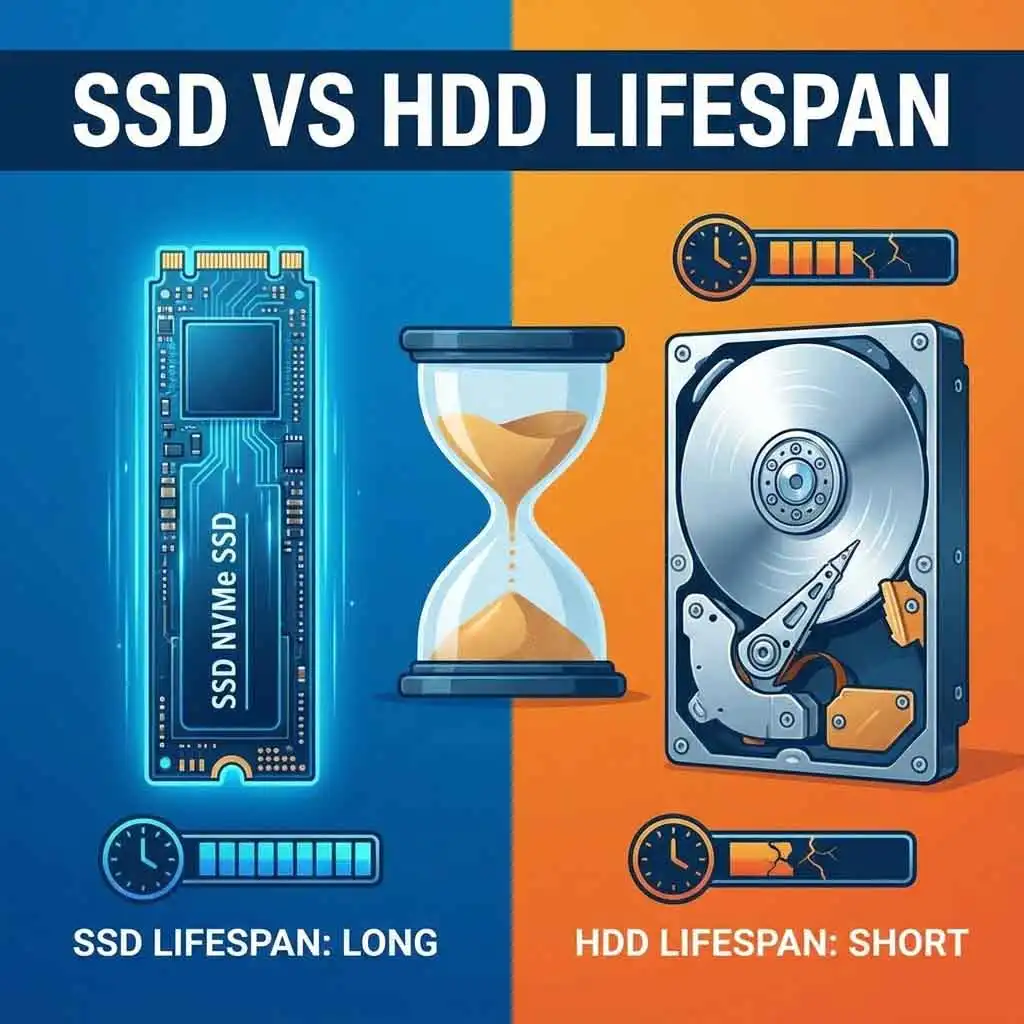
- What it is: Your 10-year-old laptop almost certainly has a Hard Disk Drive (HDD). This is a physical, spinning disk with a mechanical arm that reads data, like a tiny record player. It’s slow, fragile, and ancient.
- The Fix: A Solid-State Drive (SSD) is a modern drive that uses flash memory. It has no moving parts.
- What it Feels Like: The difference is not subtle. It is night and day.
- Boot Time: Goes from 3-5 minutes to 15-20 seconds.
- Program Opening: Word, Chrome, and Spotify will open instantly, not after a 30-second wait.
- General Snappiness: The entire system will feel responsive, quiet, and new.
This upgrade alone will solve 90% of your performance problems. A high-quality 500GB SSD costs as little as $30-$50. This is the single most important factor in deciding if upgrading a 10-year-old laptop is worth it.
If your laptop has a swappable HDD, this upgrade is a must.
Upgrade #2: The RAM (Random Access Memory)
If the SSD is the cure for slowness, RAM is the cure for frustration.
- What it is: RAM is your laptop’s “desk space” or short-term memory. It’s where it holds all the programs and files you are currently using.
- The Problem: Your 10-year-old laptop probably has 4GB of RAM. In 2015, this was fine. Today, it’s not.
- The Fix: A single Google Chrome tab can use 500MB of RAM. Add in Windows, Spotify, and a few more tabs, and your 4GB of “desk space” is totally full. Your computer is forced to use your slow hard drive as “overflow” memory, and the system grinds to a halt.
- The Goal: Upgrading from 4GB to 8GB (or 8GB to 16GB) gives your computer the breathing room it desperately needs. You can have 15 tabs open without your computer crying.
A compatible 4GB or 8GB stick of laptop RAM can cost as little as $20-$40.
Internal Link: [Link to: SSD vs. RAM: What's the Best Upgrade for an Old Laptop?]
Part 3: The Financial Reality Check
Let’s do the math. You’ve confirmed your laptop is upgradable.
- Cost of Magic Upgrades:
- 500GB SSD: $40
- 8GB RAM Upgrade: $30
- Potential “Hidden” Cost:
- New Battery: $50
- Total Investment: $70 – $120
For $120, you have a 10-year-old laptop with a slow brain, an old screen, and (maybe) a bad battery… but with a super-fast hard drive and enough memory.
Is that worth it?
Now, let’s look at the alternative. Go to any electronics store. For $300-$400, you can buy a brand-new, entry-level laptop.
This new machine will have:
- A warranty.
- A modern, 8-core+ processor that is 10x more powerful.
- A crisp, new 1080p screen.
- A battery that lasts 8+ hours.
- A pre-installed, fast SSD (usually).
External Link: Even the most basic new machines, like the ones on TechRadar’s list of best budget laptops, will objectively outperform your upgraded 10-year-old laptop in almost every single way.
So, upgrading a 10-year-old laptop is not worth it… if your goal is to compete with a new laptop. You can’t.
But what if that’s not the goal?
Part 4: The “Afterlife” (What Can an Upgraded Old Laptop Actually Do?)
This is the final piece of the puzzle. You’ve spent $70 on an SSD and RAM. You now have a usable computer. What is it good for?
Here is what your upgraded laptop will be GREAT at:
- Basic Web & Office: It will be fantastic for browsing, email, writing documents, and watching YouTube/Netflix.
- A “Second” Computer: It’s the perfect “kitchen computer” for recipes, a “garage PC” for tutorials, or a backup travel laptop.
- A Kids’ First Computer: It’s a low-stakes, durable machine for homework and light web use.
- A New Hobby Machine: This is the perfect time to try a new, lightweight operating system.
Internal Link: [Link to: The 5 Best Lightweight Linux Distros to Revive Your Old Laptop]
By installing a “lightweight” OS like Linux Mint or Zorin OS Lite, you free yourself from Windows entirely. These systems are designed for old hardware and will run incredibly fast, giving your laptop a completely new, secure, and modern-feeling life.
Here is what your upgraded laptop will still be AWFUL at:
- Modern 3D Gaming (Forget it.)
- 4K Video Editing
- Heavy-duty programming or data science
- Running 50 Chrome tabs and 10 apps at once
The Final Verdict: So, Is Upgrading a 10-Year-Old Laptop Worth It?
After our 5-point test, the answer becomes crystal clear.
YES, it is absolutely worth it IF:
- Your laptop passes the “Deal-Breaker” test (RAM/SSD are not soldered).
- You are upgrading from a spinning Hard Disk Drive (HDD) to an SSD.
- Your total upgrade cost is under $100.
- Your expectations are realistic (you want a usable machine for basic tasks, not a new one).
NO, it is a complete waste of money IF:
- Your laptop has soldered RAM, eMMC storage, or major physical damage.
- Your laptop already has an SSD (the upgrade benefit will be tiny).
- You expect the upgrade to make it run like a new $500 laptop (it won’t).
For less than the cost of a new video game, an SSD and RAM upgrade can take a frustrating, useless piece of junk and turn it into a perfectly functional, responsive computer for simple, everyday needs.
The upgrade isn’t about making it new again. It’s about making it usable. And for $70, that’s one of the best bargains in tech.
Would you like me to find the specific parts for your old laptop?
You Might Also Like…
Make Your Small Apartment Look Twice as Big: 7 Genius $100 Hacks